




High-resolution backdrops: what they are and why they matter
TL;DR:
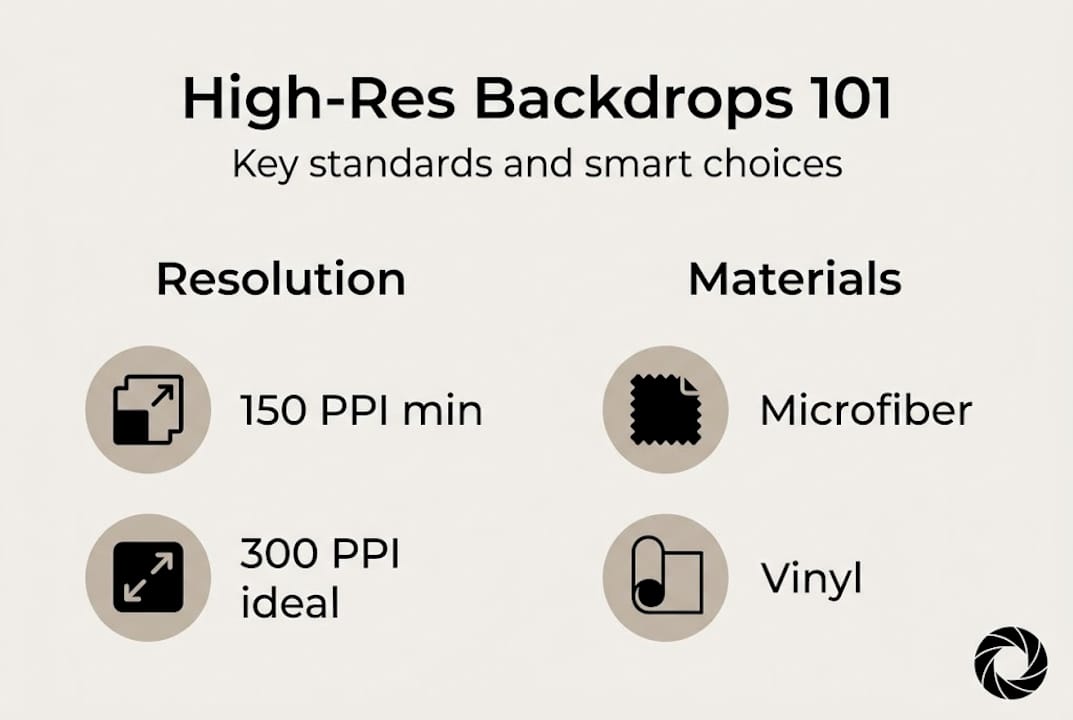
- High-resolution backdrops use at least 150 to 300 PPI to ensure sharp, pixel-free images.
- Material choice impacts durability, portability, and ability to support high-res printing effectively.
- Select backdrops based on use case, viewing distance, and resolution requirements to achieve professional results.
Most photographers assume any printed backdrop will look sharp in photos. That assumption costs real money and real time. Under studio lights, with a macro lens or a high-megapixel camera pointed close, a low-resolution backdrop reveals every flaw: muddy texture, washed-out color, and visible pixelation that no amount of post-processing can fix. High-resolution backdrops are printed backgrounds built from 150 to 300 PPI digital images, designed to stay crisp and vibrant no matter how close the camera gets. This guide covers the technical standards, the best materials, and the practical steps you need to choose and use them well.
Table of Contents
- Defining high-resolution backdrops
- High-resolution standards vs. viewing distance
- Material choices for high-resolution backdrops
- How to select and use high-resolution backdrops in your workflow
- Our take: Why details and materials outshine resolution buzzwords
- Upgrade your studio: Find your ideal high-res backdrop
- Frequently asked questions
Key Takeaways
| Point | Details |
|---|---|
| Define by PPI | A high-resolution backdrop uses 150-300 PPI images for sharp, detailed prints. |
| Viewing distance matters | Choose higher PPI for product shots seen up close and lower PPI for larger, distant backgrounds. |
| Material impacts quality | Microfiber and vinyl best support vibrant high-res prints due to their smoothness and durability. |
| Application depends on needs | Match backdrop style and material with your working environment and frequent shoot types. |
Defining high-resolution backdrops
The term “high-resolution” gets thrown around loosely in photography marketing. Let’s give it a precise meaning.
A high-resolution backdrop is a printed background where the source image meets a minimum of 150 to 300 PPI at the final print size, with 300 PPI recognized as the gold standard for product photography viewed at close range. PPI stands for pixels per inch and describes the digital image file itself. DPI stands for dots per inch and describes how the printer lays ink onto the surface. Both numbers affect the final result, but PPI is what you control when you prepare your file, and it sets the ceiling for how sharp the print can ever look. You can read more about preparing digital images for print to understand how these two values interact before you send a file to production.
Here is what separates a true high-resolution backdrop from a standard one:
- Source image resolution: The digital file is at least 300 PPI at the intended print dimensions.
- Color accuracy: Vibrant, true-to-life tones that hold up under studio lighting without shifting or looking flat.
- No visible pixelation: Even at arm’s length or under a macro lens, the print surface shows no blocky artifacts.
- Consistent sharpness edge to edge: Detail does not degrade toward the corners or edges of the backdrop.
- Material compatibility: The surface accepts ink in a way that preserves fine detail rather than bleeding or absorbing unevenly.
To put the numbers in context: a 48-inch wide backdrop printed at 300 PPI requires a source image at least 14,400 pixels wide. That is a large file, and it is the reason quality large backdrops for studio photography cost more to produce than budget alternatives.
“300 PPI is the industry gold standard for close-up product photography because it matches the resolving power of most professional camera sensors and eliminates any risk of pixelation in final images.”
For food photography, jewelry shots, and e-commerce product work, this standard is not optional. It is the baseline for professional output.
High-resolution standards vs. viewing distance
Understanding the basic definition is one thing, but context matters. Here is how viewing distance and image size affect what “high-resolution” really means for your shoot.
Resolution requirements are not fixed. They shift based on how close the camera or viewer gets to the backdrop. Viewing distance is a deciding factor: 300 PPI is necessary for arm’s-length product shots, while 150 PPI is often sufficient for scenes viewed from several feet away. This is not a loophole for cutting corners. It is a practical guide for matching your investment to your actual needs.
| Use case | Recommended PPI | Typical viewing distance | Example |
|---|---|---|---|
| Close-up product shots | 300 PPI | 12 to 24 inches | Jewelry, food, cosmetics |
| Portrait photography | 200 to 250 PPI | 3 to 6 feet | Headshots, lifestyle |
| Large set or full-body | 150 PPI | 6 feet or more | Fashion, events |
| Macro/detail shots | 300 PPI+ | Under 12 inches | Watches, texture details |
For backdrop sizing advice that matches your shooting style, the table above is a useful starting reference. Pair the right size with the right resolution and you avoid both overspending and underdelivering.
Here is when each resolution level makes sense:
- Use 300 PPI when shooting product flat lays, close-up food photography, jewelry, or any scene where the camera is within two feet of the backdrop surface.
- Use 200 to 250 PPI for portrait sessions, lifestyle content, or scenes where the backdrop fills the frame but is not the primary focus.
- Use 150 PPI for large-format sets, event backdrops, or any situation where viewers or cameras stay at least six feet away.
Pro Tip: Do not pay a premium for 600 PPI prints on a backdrop you use for full-body portraits. Your camera sensor and your viewers cannot see the difference at that distance. Spend that budget on DPI standards for photographers that actually match your use case.
Material choices for high-resolution backdrops
With the technical standards clear, it is time to look at material choice, because not all backdrops can physically support a crisp, high-res print.
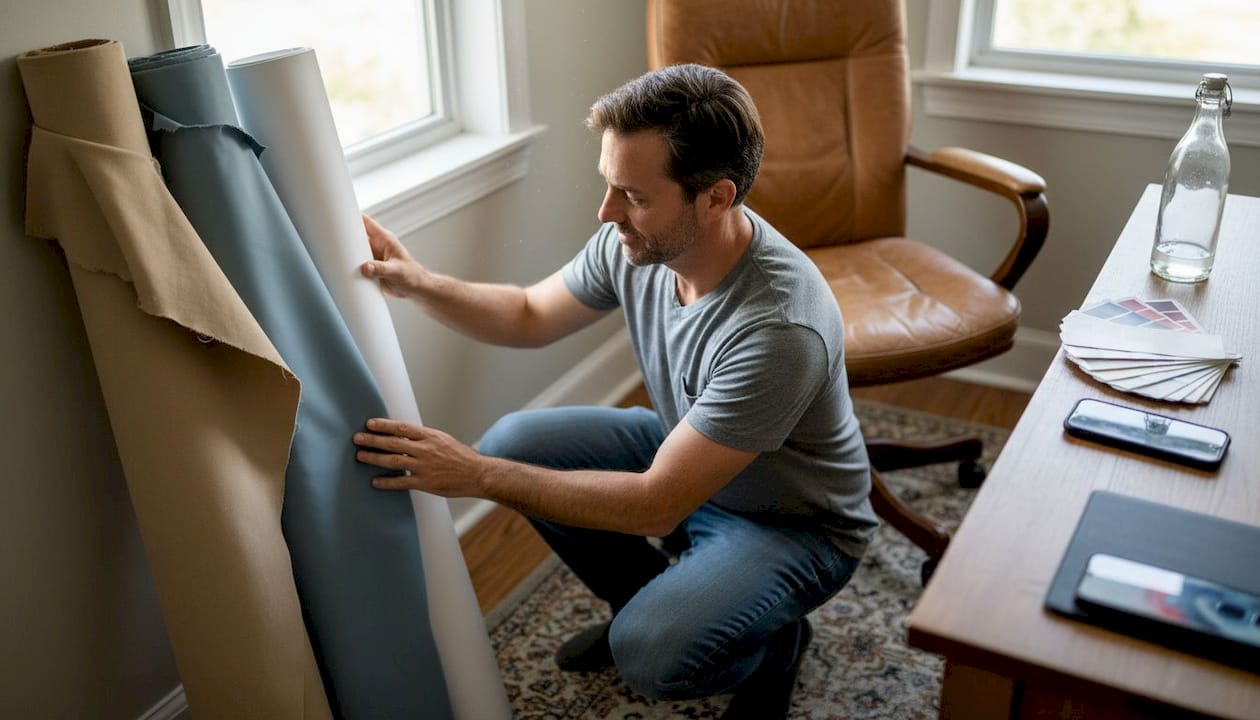
The material you choose determines how well the ink bonds to the surface, how the backdrop handles daily studio use, and whether it survives travel. Here is a direct comparison of the four most common options:
| Material | Print sharpness | Durability | Portability | Cleanability |
|---|---|---|---|---|
| Microfiber | Excellent | High | Very portable, foldable | Machine washable |
| Vinyl | Excellent | Very high | Rolls, not foldable | Wipe clean |
| Canvas | Good | Medium | Moderate | Spot clean only |
| Seamless paper | Good | Low | Disposable rolls | Not cleanable |
Microfiber supports high-resolution prints, resists wrinkles, and is machine washable. Vinyl is durable and wipe-clean but does not fold. Canvas offers texture but is harder to maintain. Each material has a real place in a working studio.
Here is how the materials break down for practical use:
- Microfiber: Best for photographers who travel or shoot on location. Folds into a bag, washes easily, and holds color well.
- Vinyl: Best for high-volume studio work where spills are common. Think food photography, product shoots with liquids, or busy e-commerce setups.
- Canvas: Best for portrait or lifestyle work where a textured, painterly look suits the brand aesthetic.
- Seamless paper: Best for one-time or disposable use, especially when a perfectly clean, wrinkle-free surface is needed for a single session.
You can compare backdrop materials in detail to match your workflow, or explore backdrop material quality guides that go deeper on what each surface delivers in real shooting conditions. For studios that prioritize durability and easy maintenance, the benefits of vinyl backdrops are worth reading before you commit.
Pro Tip: If you want the best combination of print quality and portability, microfiber is your answer. It handles 300 PPI prints beautifully and fits in a camera bag.
How to select and use high-resolution backdrops in your workflow
Armed with knowledge of standards and materials, let’s walk through exactly how to select and put high-resolution backdrops to use for consistently professional results.
Selecting the right backdrop is a process, not a single decision. Follow these steps to get it right from the start:
- Define your use case first. Are you shooting jewelry flat lays, food content, or fashion? Your answer determines the PPI you need and the material that fits.
- Check the supplier’s print specs. Ask for the source image resolution and the print DPI before ordering. A reputable supplier will provide both.
- Order the right size. Undersizing is one of the most common mistakes. A backdrop that is too small forces you to crop tightly and limits your composition options.
- Prep your shooting space. Lay vinyl flat or hang it with a backdrop stand. Fold microfiber and let it relax before shooting to minimize any temporary creases.
- Test under your actual studio lights. What looks sharp in ambient light may show unexpected texture or color shifts under strobes or continuous LEDs.
Mistakes to avoid:
- Ordering a backdrop sized for portraits when you need it for product flat lays
- Choosing canvas for a high-volume food shoot where spills are inevitable
- Ignoring the print PPI spec and assuming all backdrops are equal
- Rolling a microfiber backdrop instead of folding it, which can create permanent creases over time
High-resolution backdrops ensure vibrant colors and sharp details under studio lights. Lower PPI risks pixelation in close shots, which is a problem that shows up directly in your final images and your client’s brand presentation.
For product photography for e-commerce, the backdrop is often the first thing a buyer’s eye lands on. A sharp, clean background signals quality before the product itself even registers. Switching scenes quickly is easier when you have two or three backdrops prepped and stored flat. Label each one and keep them accessible so you spend time shooting, not searching.
For more guidance on getting started, choosing a photography backdrop and exploring photography backdrop ideas are both practical next reads.
Our take: Why details and materials outshine resolution buzzwords
Here is an opinion worth stating plainly: the photography industry has a habit of turning technical specs into marketing noise. “Ultra-high-res” sounds impressive on a product listing, but it rarely tells you what actually matters for your work.
We have seen studios invest in 600 PPI prints on canvas backdrops, then struggle with spills, wrinkles, and storage headaches that slow down every shoot. Meanwhile, a well-chosen microfiber or vinyl backdrop at 300 PPI handles real studio conditions without drama. The resolution is invisible in the final image. The material choice is felt every single day.
Seamless paper is a good example of this gap. It can look flawless in a single session, but it tears, cannot be cleaned, and creates waste. Fabric and vinyl pro backdrop materials cost more upfront and deliver far more value over time. Chasing the highest PPI number without thinking about durability and portability is a distraction. Focus on the right resolution for your actual shooting distance, then choose the material that fits your workflow. That combination produces better work than any spec sheet alone.
Upgrade your studio: Find your ideal high-res backdrop
Ready to put these best practices into action? The next step is finding the right backdrop for your studio setup.
At Instant Backdrops, every backdrop is designed with professional photographers and content creators in mind. The focus is on vibrant, high-resolution prints that hold up under close-up studio lights, paired with materials built for real working conditions. Whether you need a spill-proof vinyl surface for food photography or a portable microfiber backdrop for on-location product shoots, the range covers the full spectrum of professional needs. Browse the curated collections to find the backdrop that fits your resolution requirements, your material preferences, and your creative vision.
Frequently asked questions
What is the minimum resolution for a professional-grade backdrop?
A professional-grade backdrop should use at least 150 PPI for large scenes viewed from a distance, but 300 PPI is best for close-up product shots where pixelation is a real risk.
Does the backdrop material affect the print resolution?
Yes. Microfiber and vinyl both support vibrant high-res prints effectively, while canvas and paper may show less fine detail or require more careful handling to preserve sharpness.
How can I avoid pixelation in my product photos?
Choose a backdrop with at least 300 PPI at final size and always factor in your shooting distance to confirm the resolution matches how close your camera will be to the surface.
Is there a difference between DPI and PPI in backdrop printing?
PPI describes the digital image file’s pixel density, while DPI describes how the printer places ink on the surface. Both affect final print quality, but PPI is key when preparing your source file for production.
Recommended
- Backdrop material quality: how to choose for professional photos – Instant Backdrops
- What is ultra-realistic backdrop: the ultimate 2026 guide – Instant Backdrops
- Backdrops in E-Commerce: Boost Product Appeal Fast – Instant Backdrops
- How to choose the right backdrop for photography – Instant Backdrops
- Understanding Resolution in Projectors: A Clear Guide - Projector Display
- Photo Booth Backdrop Options | RMD Photo Booths